
You’ve often heard it said that Emacs is more of an operating system than a text editor. While this was often meant as a joke, I’ve seen more and more Emacs users leaning into this distinction.
In that spirit, I wanted to do some posts comparing the traditional UNIXy way of doing things with how we can accomplish the same tasks in our Emacs “operating system.”
This week, we’re going to take a look at listing directory contents. At some point or another we all need to list out the contents of a directory.
The UNIXy way of doing it is quite simple and elegant. We have the nice ls command.
As the man pages describe ls:
List information about the FILEs (the current directory by default).
In Emacs, however, we have a full-fledged file manager in dired, the directory editor.
So we can view the contents of a directory but also create, move, rename files, and much much more.
Let’s break it down.
UNIXy Way
ls- Simple list
ls -l- Long format with permissions, owner, size, date
ls -a- Show hidden files (starting with .)
ls -la- Long format + hidden files (my favorite)
ls -lh- Long format with human-readable sizes (KB, MB, GB)
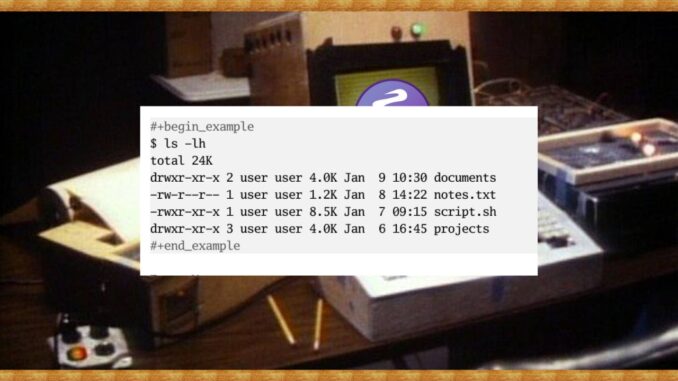
Example output:
$ ls -lh
total 24K
drwxr-xr-x 2 user user 4.0K Jan  9 10:30 documents
-rw-r--r-- 1 user user 1.2K Jan  8 14:22 notes.txt
-rwxr-xr-x 1 user user 8.5K Jan  7 09:15 script.sh
drwxr-xr-x 3 user user 4.0K Jan  6 16:45 projects
Emacs Way
C-x d(dired) – Opens directory editorC-u C-x d– Opens dired with custom switches (e.g., “-la”)- In dired:
stoggles between name/date sorting - In dired:
(toggles detailed listing
Example dired buffer:
/home/user:
drwxr-xr-x  2 user user 4096 Jan  9 10:30 documents
-rw-r--r--  1 user user 1234 Jan  8 14:22 notes.txt
-rwxr-xr-x  1 user user 8765 Jan  7 09:15 script.sh
drwxr-xr-x  3 user user 4096 Jan  6 16:45 projects
In dired, you can mark files, operate on multiple files, and navigate using standard Emacs keybindings.
Look out for more of these types of “Emacs way” posts as I’ve got a whole bunch planned.
Thanks, as always, for reading. If you’d like to support my work, please consider subscribing to my free newsletter or purchasing one of my books.
I will also add the flags “gG” at the end of the ls options for directories where I do not need to know the user and group name.