
The word Gantt tends to evoke project-management software with bars you can drag and a hefty license fee. The underlying idea, tasks arranged on a horizontal timeline, with owners and effort estimates, is much older and much simpler than the software around it. It is basically a chart. You can draw one with a pencil and a string for a plumb line.
Org mode already stores everything you need for a Gantt chart: a hierarchy of tasks, SCHEDULED and DEADLINE timestamps, properties for Effort and assignments to various agents. What’s missing is the picture. But org can draw the picture too. Let’s take a look and, one hopes, save you a subscription fee.
The minimum data model
For each task you want to track on the chart, add three things:
* Draft chapter 5
SCHEDULED: <2026-02-12 Thu> DEADLINE: <2026-02-26 Thu>
:PROPERTIES:
:AGENT:    Chris
:Effort:   10
:END:

* Edit chapter 4
SCHEDULED: <2026-02-10 Tue> DEADLINE: <2026-02-20 Fri>
:PROPERTIES:
:AGENT:    Chris
:Effort:   6
:END:

* Design cover art
SCHEDULED: <2026-02-15 Sun> DEADLINE: <2026-03-01 Sun>
:PROPERTIES:
:AGENT:    Maya
:Effort:   8
:END:
That is enough for a starting point. SCHEDULED is the start of the bar, DEADLINE is the end, :AGENT: is the swimlane, :Effort: is the height of the bar (or just a hover tooltip). Everything else is presentation.
Rendering the chart
I’ve included an example implementation below on how I render a nice view from this. Here’s the whole renderer, about sixty lines of elisp. Saved as gantt-render.el somewhere on my load path, I can open the project file, and run M-x org-fas-gantt-render-to-html. It walks every heading that has both a SCHEDULED start and a DEADLINE end, lays each one out as a bar scaled to the project’s overall span, and groups the bars into swimlanes by :AGENT:.
(require 'org)
(require 'ox-html)   ; for org-html-encode-plain-text

(defun org-fas-gantt--collect ()
  "Return a list of task plists from the current Org buffer.
Only headings with both a SCHEDULED and a DEADLINE timestamp
are included.  :start and :end are absolute day numbers so
they are cheap to subtract."
  (delq nil
        (org-map-entries
         (lambda ()
           (let ((start (org-get-scheduled-time (point)))
                 (end   (org-get-deadline-time (point))))
             (when (and start end)
               (list :title  (org-get-heading t t t t)
                     :agent  (or (org-entry-get (point) "AGENT") "Unassigned")
                     :effort (org-entry-get (point) "Effort")
                     :start  (time-to-days start)
                     :end    (time-to-days end))))))))

(defun org-fas-gantt--bar (task day0 span)
  "Return one HTML row for TASK, scaled against DAY0 across SPAN days."
  (let* ((left  (* 100.0 (/ (float (- (plist-get task :start) day0)) span)))
         (width (max 1.0 (* 100.0 (/ (float (- (plist-get task :end)
                                               (plist-get task :start)))
                                     span))))
         (effort (plist-get task :effort)))
    (format (concat "<div class=\"row\"><span class=\"label\">%s</span>"
                    "<span class=\"track\"><span class=\"bar\" "
                    "style=\"left:%.1f%%;width:%.1f%%\" title=\"%s\"></span>"
                    "</span></div>")
            (org-html-encode-plain-text (plist-get task :title))
            left width
            (if effort (format "Effort: %s" effort) ""))))

(defun org-fas-gantt-render-to-html (&optional file)
  "Render the current buffer's Gantt tasks to FILE as HTML.
Interactively prompts for the output file.  Returns the file name."
  (interactive)
  (let* ((tasks (org-fas-gantt--collect))
         (file  (or file (read-file-name "Write Gantt HTML to: " nil "gantt.html"))))
    (unless tasks
      (user-error "No tasks with both SCHEDULED and DEADLINE found"))
    (let* ((day0 (apply #'min (mapcar (lambda (tk) (plist-get tk :start)) tasks)))
           (dayN (apply #'max (mapcar (lambda (tk) (plist-get tk :end)) tasks)))
           (span (max 1 (- dayN day0)))
           (agents (cl-remove-duplicates
                    (mapcar (lambda (tk) (plist-get tk :agent)) tasks)
                    :test #'equal :from-end t)))
      (with-temp-file file
        (insert "<!DOCTYPE html><html><head><meta charset=\"utf-8\">\n"
                "<style>\n"
                "body{font-family:sans-serif;margin:2rem;color:#222;}\n"
                "h2{border-bottom:1px solid #ccc;margin-top:1.5rem;}\n"
                ".row{display:flex;align-items:center;margin:.25rem 0;}\n"
                ".label{width:16rem;font-size:.9rem;padding-right:.5rem;}\n"
                ".track{position:relative;flex:1;height:1.2rem;background:#f0f0f0;border-radius:3px;}\n"
                ".bar{position:absolute;top:0;height:100%;background:#4a7;border-radius:3px;}\n"
                "</style></head><body>\n"
                "<h1>Project timeline</h1>\n")
        (dolist (agent agents)
          (insert (format "<h2>%s</h2>\n" (org-html-encode-plain-text agent)))
          (dolist (task tasks)
            (when (equal (plist-get task :agent) agent)
              (insert (org-fas-gantt--bar task day0 span) "\n"))))
        (insert "</body></html>\n"))
      (message "Wrote %s (%d task%s)" file (length tasks)
               (if (= (length tasks) 1) "" "s"))
      file)))
It reads your timestamps, does a little arithmetic to turn dates into percentages, and writes plain HTML and CSS. You could extend it to color bars by status or add a “today” line in an afternoon.
You might be wondering why HTML. I love HTML and CSS. It’s simple, and anyone can read it. You can easily throw it up to a server and share it with anyone capable of opening a web browser.
You may prefer a different delivery format. Or, importantly, your stakeholders and team might prefer a different format. That’s fine. The point here is that from org mode you can generate any format you want.
The renderer doesn’t matter as much; the point is that the source of truth is still the .org file. You can change the renderer next year and your project data is pristine.
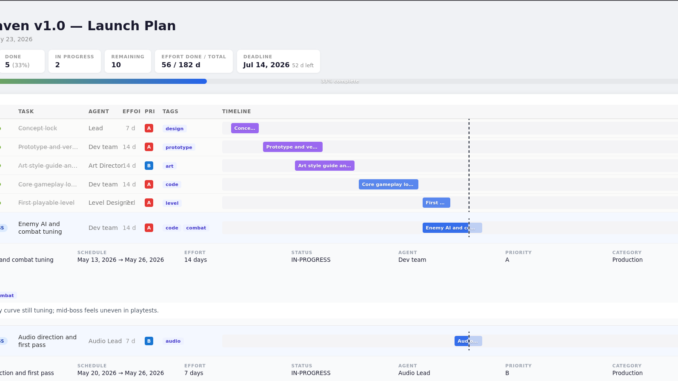
Here’s a picture of my Gantt chart for a fake video game release. This was totally built from org mode and then exported to HTML. What you see is the browser rendering:
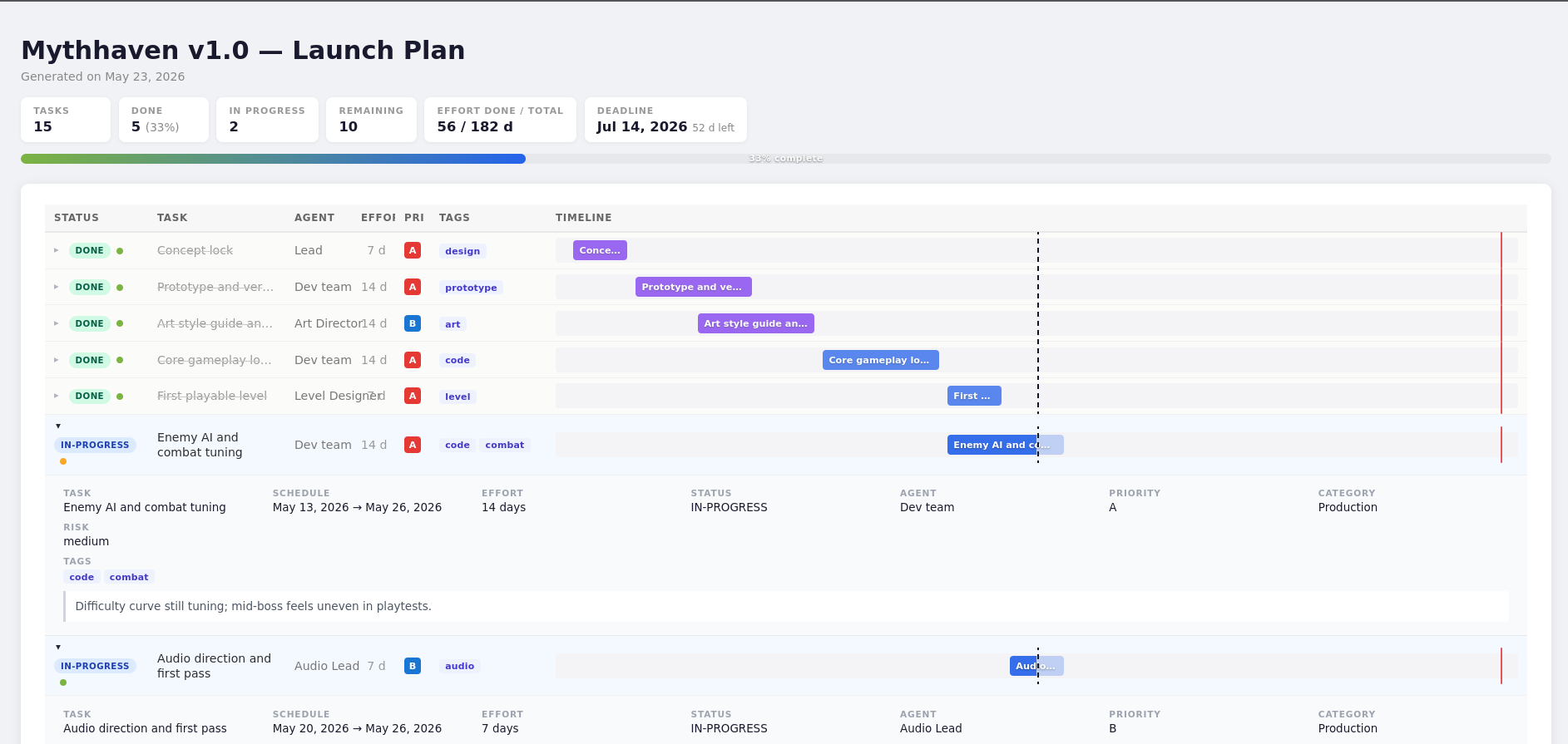
Now that’s a nice visual indicator of progress that costs you and your team nothing, but looks really fancy.
Keeping the team on schedule
If you are coordinating with people who don’t use Emacs, which is almost everyone, the workflow is:
- You maintain the org file as the planning document.
- You export to HTML (or PDF, or a quick PNG) and share it to a central location.
- Updates come back as comments or from a meeting; you transcribe them into the org file.
It may sound inefficient, but in practice it’s the same number of steps as maintaining a separate Asana board, minus the SaaS subscription, plus the fact that your project plan now lives next to your notes and your agenda, and you’re not locked into a proprietary format.
If this post saved you a SaaS subscription or two, consider tossing a few dollars in the tip jar. It goes straight back into writing more of these.
Thanks, as always, for reading. If you liked this post you may also like:
- My open source handbooks: Emacs For Writers and Git For Writers
- I’m also looking for beta readers for my hacker novel, Hard Pass
- You can also subscribe for occasional email updates on similar topics
Nice one.
If you ever want to extend your concept to a different approach: not defining absolute days but rather dependencies + duration and days are derived by your tool. You could take a look at my proposal which extends the syntax for org-edna when defining dependencies: https://karl-voit.at/2020/08/14/project-mgt-draft/
Related visualization but not directly the same goal: https://codeberg.org/publicvoit/orgheadingnetwork
That last Gantt chart looks great! Any chance you could share the code?